MobiVisor Messaging
for Secure Business Communication

Secure enterprise messaging for managed mobile devices. MobiVisor Messaging
helps companies simplify internal communication, protect business chats and
exchange messages or files in a controlled MDM environment.

Secure Enterprise Messaging for Mobile Teams

MobiVisor Messaging helps companies protect internal communication on managed mobile devices. Employees can exchange business messages and files securely, while IT teams keep communication inside a controlled MDM environment.

Instead of relying on unmanaged consumer messaging apps, companies can use MobiVisor Messaging to support secure business communication, centralized user management and protected mobile collaboration.

Secure business communication: Messages and files are transferred through an SSL/TLS-encrypted infrastructure to help protect sensitive company data.

Central administration: Manage users, access rights and communication policies through a central admin portal connected to your MDM environment.

Data loss prevention: If a device is lost, stolen or removed from company use, business messaging data can be deleted remotely.
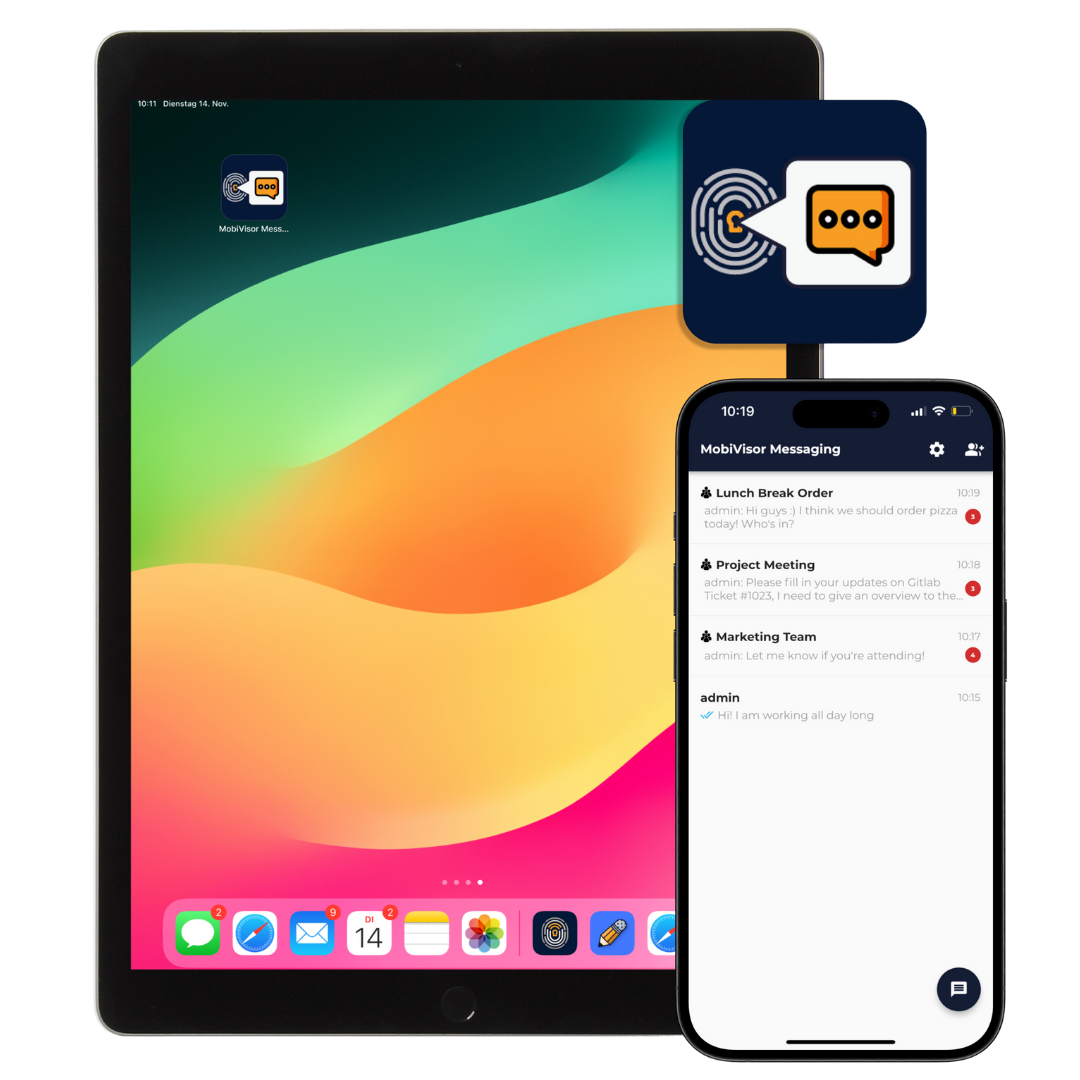
MobiVisor Messaging secure enterprise messaging app shown on tablet and smartphone

Insights from our team: How MobiVisor Messaging protects your corporate communications

“Our MobiVisor Messaging customers particularly appreciate the ability to manage the messenger centrally, without employees having to give up the familiar, convenient use of familiar messaging apps. MobiVisor Messaging is the right solution for our customers, especially when schedules or other information need to be exchanged quickly and efficiently!”

– Toni Voß, Support MobiVisor

MobiVisor Messaging: Easy to Deploy and Ready for Secure Communication

1. Deploy the Messaging App

  • Install MobiVisor Messaging through MobiVisor MDM or use it as a standalone secure messaging app.
  • Distribute the app to managed Android and iOS devices without complicated manual setup.
  • Give employees access to a controlled business messaging environment.

2. Create Groups and Business Chats

  • Create team chats, department groups and company communication channels.
  • Assign group administrator rights to selected users for better internal communication control.
  • Send important company updates, project messages and internal announcements securely.

3. Synchronize Users and Settings

  • Users can log in through MobiVisor or manually, depending on your company setup.
  • The app can receive settings and access rules from the MDM environment.
  • Employees can open approved chats and groups while IT keeps business communication centrally managed.
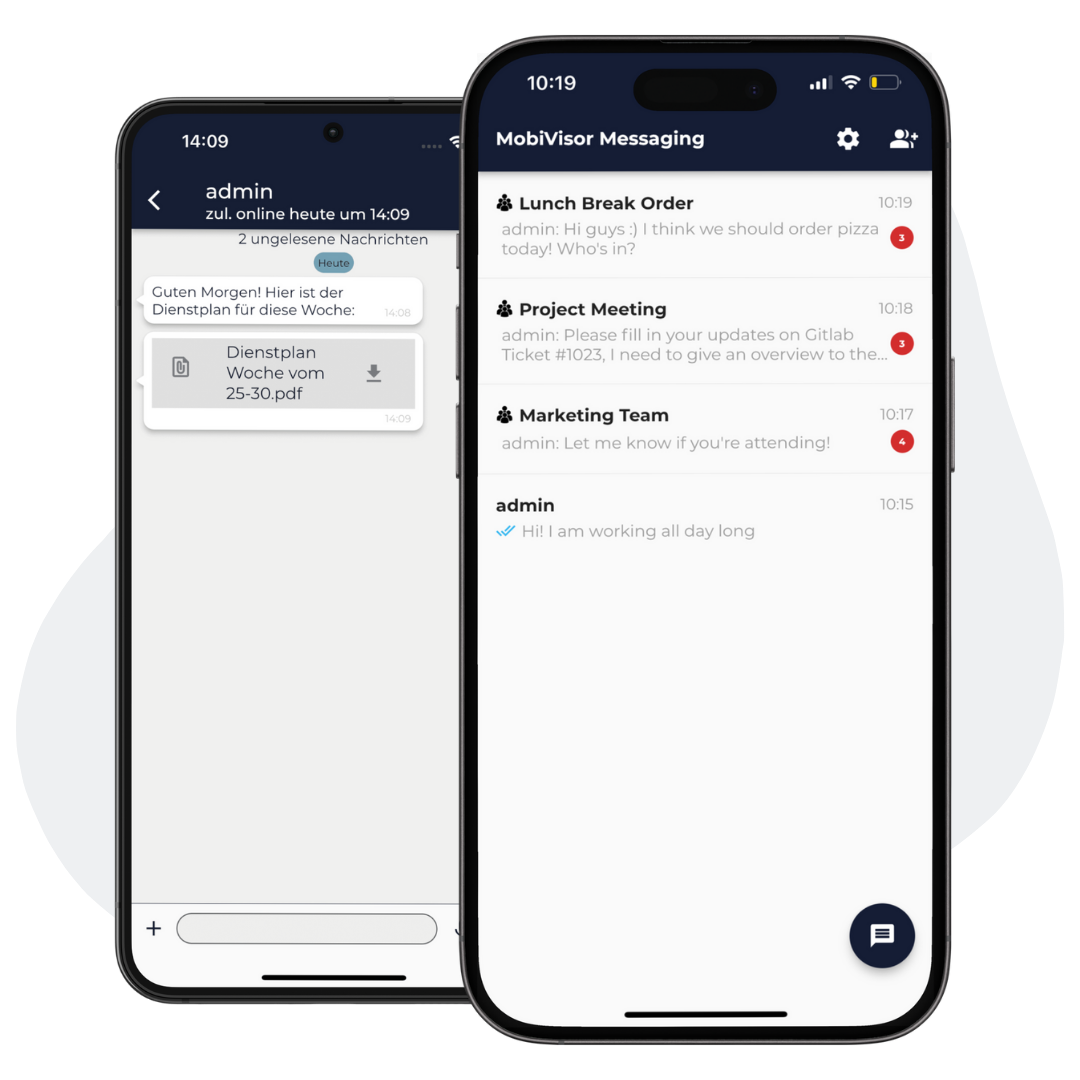
MobiVisor Messaging secure business messaging app showing group chats and file sharing on smartphones

Your Advantages with Secure Enterprise Messaging

MobiVisor Messaging helps companies protect internal communication on managed mobile devices. With encrypted message transfer, central MDM integration and controlled user access, business chats stay secure and easy to manage.

GDPR-Compliant Business Communication

Protect company messages and shared files with SSL/TLS-encrypted communication designed for secure internal business messaging.

Central User and Access Management

IT administrators can manage users, access rights, group permissions and security policies from a central admin portal.

Seamless MDM Integration

Deploy MobiVisor Messaging through MobiVisor MDM and integrate secure company communication into your existing mobile device strategy.

Secure Chat Continuity

Business chats are available through the app, so employees can continue communication after changing devices while company data remains controlled.

Technical Information

Installation

Via MDM: MobiVisor Messaging is part of the MobiVisor MDM product family. The app can therefore be installed on all company devices at the same time via MDM command.


Manually: Alternatively, the app can be installed via Google Play Store (Android) or App Store (iOS).

Functionality

Once the app has been installed on the devices, the user must log in. The messenger can be used without any further configuration.

Security and encryption

All network communication takes place via a secure infrastructure with SSL/TLS encryption. All application data is stored in encrypted local storage areas. MobiVisor Messaging is GDPR compliant.

Frequently Asked Questions

Quick answers about MobiVisor Messaging, secure enterprise messaging, MDM-based communication and protected business chats on mobile devices.

What is secure enterprise messaging?

Secure enterprise messaging is business communication that allows employees to exchange messages and files in a controlled company environment with access management, encryption and administrative control.

What does MobiVisor Messaging do?

MobiVisor Messaging helps companies provide secure internal communication on managed mobile devices. Employees can use the app for business chats, group communication and secure file exchange.

How does MobiVisor Messaging work with MobiVisor MDM?

MobiVisor Messaging can be deployed and managed through MobiVisor MDM. IT administrators can distribute the app, manage users, control access rights and apply communication policies centrally.

Which devices support MobiVisor Messaging?

MobiVisor Messaging can be used on Android and iOS devices. The app can be installed through MobiVisor MDM or manually where a standalone setup is required.

Is MobiVisor Messaging suitable for internal company communication?

Yes. MobiVisor Messaging is designed for internal business communication, team chats, department groups, project updates and company announcements on managed mobile devices.

Can companies create groups and team chats?

Yes. Companies can create group chats for departments, teams or projects. Group administrator rights can also be assigned to selected users for better communication management.

Can employees exchange files with MobiVisor Messaging?

Yes. MobiVisor Messaging supports secure message and file exchange, helping employees share business information without relying on unmanaged consumer messaging apps.

How does MobiVisor Messaging protect business communication?

MobiVisor Messaging supports SSL/TLS-encrypted communication and central access management to help protect company messages, shared files and internal business data.

What happens if a device is lost or stolen?

If a managed device is lost, stolen or removed from company use, business messaging data can be deleted remotely to help reduce the risk of data loss.

Why use MobiVisor Messaging instead of consumer messaging apps?

MobiVisor Messaging gives companies more control over business communication. Unlike unmanaged consumer apps, it supports MDM-based deployment, central user management, access control and protected communication workflows.

Log in to your account

/wp-content/plugins/borlabs-cookie/assets/javascript/_plugin-vue_export-helper.DlAUqK2U.min.js /wp-content/plugins/borlabs-cookie/assets/javascript/borlabs-cookie-debug-console.min.js /wp-content/plugins/borlabs-cookie/assets/javascript/borlabs-cookie-prioritize.min.js /wp-content/plugins/borlabs-cookie/assets/javascript/borlabs-widget.CwDOngWK.min.js /wp-content/plugins/borlabs-cookie/assets/javascript/default.CfOM2Qrq.min.js /wp-content/plugins/borlabs-cookie/assets/javascript/iabtcf.DaOrhwPI.min.js /wp-content/plugins/borlabs-cookie/assets/javascript/observer.5V3DaO-P.min.js /wp-content/plugins/borlabs-cookie/assets/javascript/use-iabtcf-legitimate-interests.ONlzmKkH.min.js /wp-content/plugins/borlabs-cookie/assets/javascript/base-button.ZZvWBfYs.min.js /wp-content/plugins/borlabs-cookie/assets/javascript/borlabs-cookie-iabtcf.min.js /wp-content/plugins/borlabs-cookie/assets/javascript/borlabs-cookie-service-list.DMsnl2zA.min.js /wp-content/plugins/borlabs-cookie/assets/javascript/consent-history-table.DXx4RJA3.min.js /wp-content/plugins/borlabs-cookie/assets/javascript/details-header.Cob1OrDk.min.js /wp-content/plugins/borlabs-cookie/assets/javascript/iabtcf-compact.DOsYxFkM.min.js /wp-content/plugins/borlabs-cookie/assets/javascript/provider-service-information-table.BjYO3Yce.min.js /wp-content/plugins/borlabs-cookie/assets/javascript/use-iabtcf-purposes.dTuox3QZ.min.js /wp-content/plugins/borlabs-cookie/assets/javascript/borlabs-cookie.min.js /wp-content/plugins/borlabs-cookie/assets/javascript/borlabs-cookie-legacy-backward-compatibility.min.js /wp-content/plugins/borlabs-cookie/assets/javascript/borlabs-cookie-switch-consent.BeE6kOf6.min.js /wp-content/plugins/borlabs-cookie/assets/javascript/consent-history-table.so9NoCuE.min.js /wp-content/plugins/borlabs-cookie/assets/javascript/focus-loop.Ef129W-c.min.js /wp-content/plugins/borlabs-cookie/assets/javascript/iabtcf-entrance-description.CWMJXuIS.min.js /wp-content/plugins/borlabs-cookie/assets/javascript/service-item-switch.I68VXugo.min.js /wp-content/plugins/borlabs-cookie/assets/javascript/use-iabtcf-vendors.BecxeTHa.min.js /wp-content/plugins/borlabs-cookie/assets/javascript/borlabs-cookie-admin.min.js /wp-content/plugins/borlabs-cookie/assets/javascript/borlabs-cookie-noop.min.js /wp-content/plugins/borlabs-cookie/assets/javascript/borlabs-cookie-tcf-stub.min.js /wp-content/plugins/borlabs-cookie/assets/javascript/consents.D7AR0Jjo.min.js /wp-content/plugins/borlabs-cookie/assets/javascript/iabtcf.BvXAsWC3.min.js /wp-content/plugins/borlabs-cookie/assets/javascript/modal-manager.BMM5iiW3.min.js /wp-content/plugins/borlabs-cookie/assets/javascript/service-item-table.CICM8-I3.min.js /wp-content/plugins/borlabs-cookie/assets/javascript/use-special-features.Cw4JHzUC.min.js /wp-content/plugins/borlabs-cookie/assets/javascript/borlabs-cookie-box.B5URxZ4O.min.js /wp-content/plugins/borlabs-cookie/assets/javascript/borlabs-cookie-preferences.CkWvqKZt.min.js /wp-content/plugins/borlabs-cookie/assets/javascript/borlabs-cookie-user-uid.BIG2qsOt.min.js /wp-content/plugins/borlabs-cookie/assets/javascript/content-blocker-modal.Czo4-RlY.min.js /wp-content/plugins/borlabs-cookie/assets/javascript/iabtcf.BZDsET9e.min.js /wp-content/plugins/borlabs-cookie/assets/javascript/non-iab-tcf-standard-notice.BG1dXaxk.min.js /wp-content/plugins/borlabs-cookie/assets/javascript/toggle-accordion.DkXv6B-2.min.js /wp-content/plugins/borlabs-cookie/assets/javascript/vue.DNABcg60.min.js